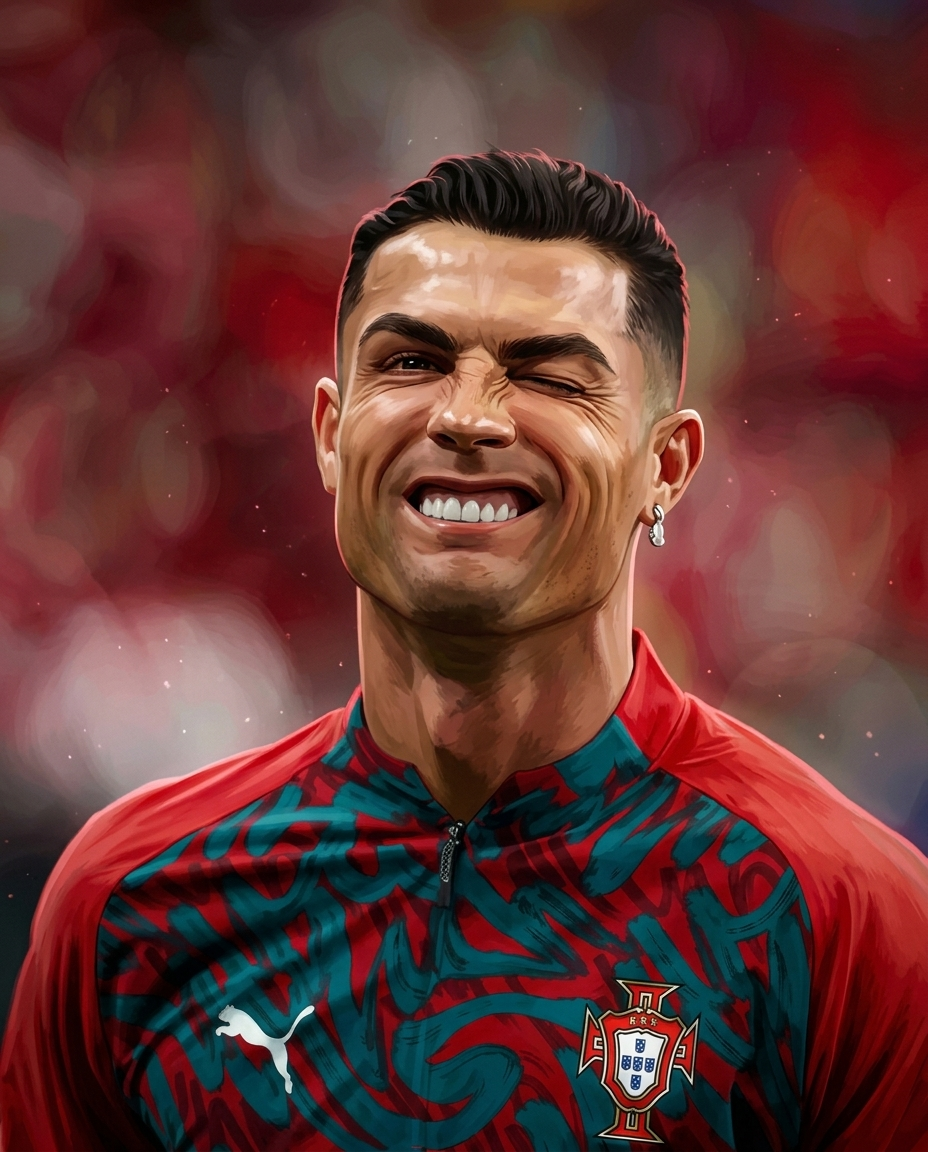
Turn any portrait into an official-looking Arcane production frame — hand-painted textures, cinematic grading, and full identity lock. Your face, Fortiche's brush.
This one converts a real photo into a frame that looks like it came straight out of Arcane by Fortiche. You start in Nano Banana 2, upload your source portrait, then paste a single identity-locked prompt that preserves your face, pose, framing, and wardrobe while swapping only the rendering style. The result is painterly 3D realism — visible brushwork, volumetric lighting, and Arcane's signature warm-cool color interplay — without redesigning a single feature. It works because the prompt hard-locks identity and composition, so the model only reinterprets surface style. One image in, one museum-grade animated film still out.
The Workflow
FOUR STEPS
01
Setup · Open The Tool
LAUNCH NANO BANANA 2
Go to your preferred platform running Nano Banana 2. This is where the whole transformation happens — no extra tools needed. Make sure you're on a model version that accepts an image reference plus a text prompt.
02
Input · Feed The Face
UPLOAD YOUR IMAGE
Upload the portrait you want to Arcane-ify. Pick a clean, well-lit shot where the face, pose, and framing are already how you want them — the prompt preserves everything, so start with a composition you love.
03
Transform · Paste & Run
PASTE THE ARCANE PROMPT
Drop the full identity-locked prompt below in and generate. It preserves 100% of your facial identity, pose, camera angle, and wardrobe while applying only the Arcane painterly rendering style. Don't trim it — the constraints are what keep your likeness intact.
Nano Banana 2 Prompt — Arcane Render
dentity Lock: Use the attached image as the absolute identity and composition reference. Preserve 100% of the original facial identity, facial proportions, eye shape, nose, lips, jawline, hairstyle, skin markings, expression, gaze direction, body proportions, pose, clothing, accessories, camera angle, focal length, framing, perspective, environment layout, and object placement. Do not redesign, beautify, age, stylize the facial structure, or alter the composition. The only transformation permitted is the artistic rendering style.
Recreate the entire image as if it were an official Arcane production frame from Fortiche, combining meticulously hand-painted digital artistry with physically based 3D rendering. Every surface should exhibit premium painterly brushwork, expressive texture layering, and sophisticated edge control while preserving photorealistic lighting logic.
Apply the signature Arcane visual language:
Masterfully hand-painted textures with visible premium brushstroke detail.
Stylized realism rather than cartoon exaggeration.
Rich painterly gradients instead of flat colors.
Cinematic volumetric lighting with layered atmospheric depth.
Warm and cool color interplay inspired by Arcane's dramatic grading.
High dynamic range lighting with realistic bloom and soft highlight roll-off.
Premium subsurface skin rendering adapted into a painterly style.
Ultra-detailed eyes with painterly reflections and realistic moisture.
Intricate fabric painting with visible weave and directional lighting.
Hand-painted metallic reflections instead of photographic reflections.
Realistic global illumination translated into stylized painting.
Soft ambient occlusion and subtle edge lighting.
Fine atmospheric particles, dust, haze, smoke, and light scattering where naturally appropriate.
Cinematic depth separation using volumetric fog and layered perspective.
Painterly imperfections that enhance realism without appearing messy.
The final image should feel like a high-budget animated feature film still, with:
IMAX-quality cinematic presentation.
Ultra-high detail.
8K production quality.
Museum-quality digital painting.
Award-winning concept art finish.
Rich texture density.
Sophisticated color harmony.
Premium visual storytelling.
Dramatic but natural lighting.
Exceptional clarity in the focal subject.
Beautiful painterly softness in secondary areas.
Film-grade composition and visual polish.
Strict Constraints:
Preserve the original identity with perfect consistency.
Preserve the original pose exactly.
Preserve the original camera angle and framing exactly.
Preserve all clothing and accessories exactly.
Preserve all scene elements unless they naturally receive the Arcane painterly treatment.
Do not introduce new props, characters, backgrounds, or visual effects not implied by the original image.
Do not alter facial proportions or expressions.
No text.
No typography.
No logos.
No watermarks.
Goal: Produce a seamless transformation where the attached image appears to have been originally created by the Arcane animation team, retaining complete identity and composition fidelity while showcasing the franchise's iconic cinematic painterly aesthetic at the highest possible production quality.
04
Finish · Ship It
REVIEW & ENJOY
Check that your identity and pose survived the transform, then export. If a feature drifted, regenerate — the prompt is strict, so most runs land clean. Post it, or use it as a base frame for animation.
Pro Notes
PUSH IT FURTHER
🎯
Identity
START WITH A SHARP SOURCE
The prompt only preserves what it can see. A crisp, front-facing, well-lit photo gives the model clean features to lock — blurry or heavily filtered inputs invite drift.
🎨
Style
DON'T TRIM THE PROMPT
Every constraint line is doing a job. Cutting the 'preserve exactly' clauses is what leads to beautified or restyled faces — keep it whole for likeness fidelity.
🔁
Workflow
REGENERATE, DON'T EDIT
If the first pass over-stylizes a feature, just run it again rather than tweaking wording. Seed variation usually fixes minor identity slips within a couple of tries.
🎬
Extend
USE IT AS A KEYFRAME
The output reads as an animated film still — feed it into an image-to-video model for a moving Arcane shot that keeps the painterly grade.